Does a Higher-Wattage Charger Charge Faster? 20W vs. 30W vs. 65W vs. 100W
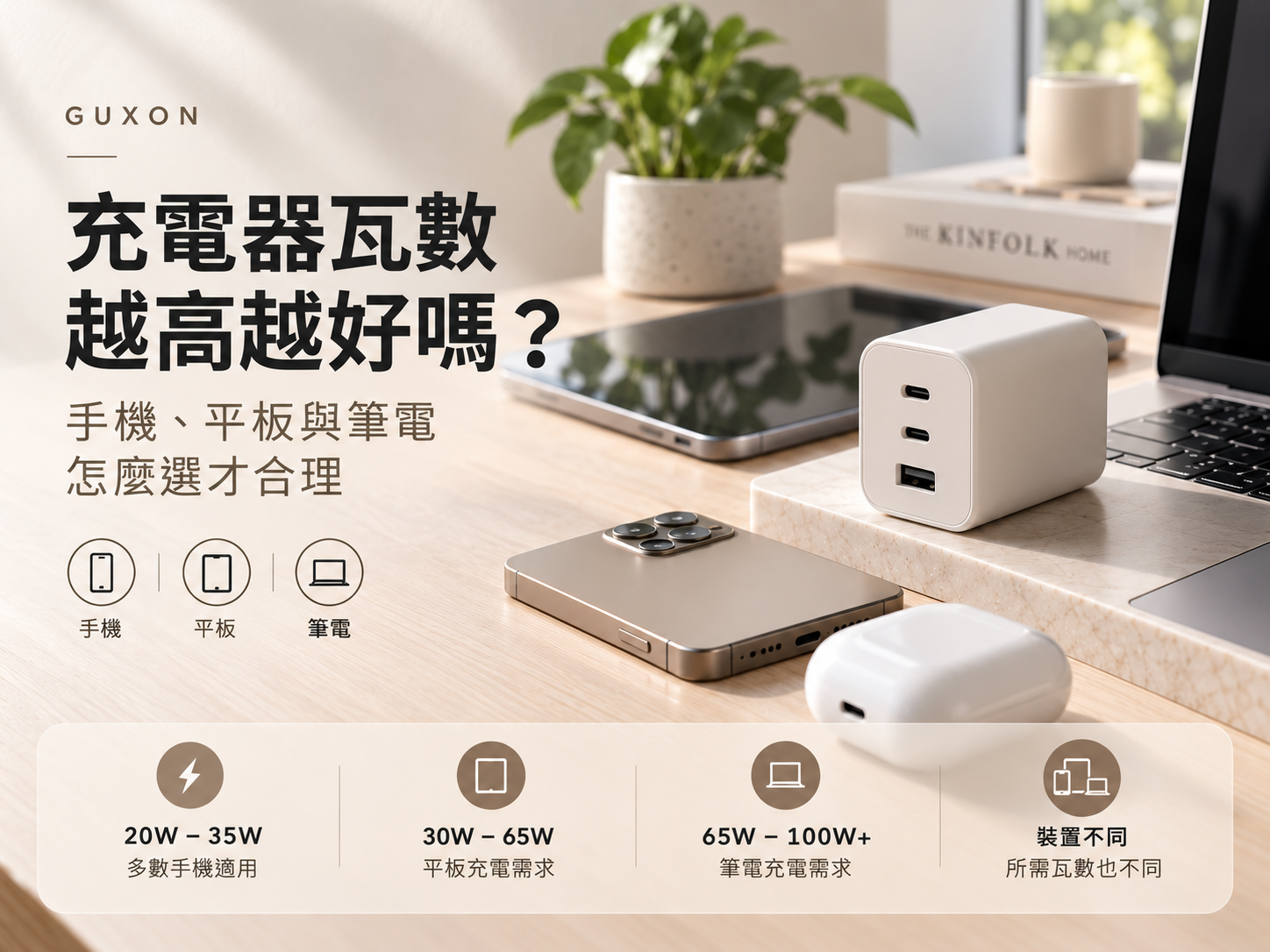
Chargers today commonly come in 20W, 30W, 45W, 65W, 100W, and even higher power ratings. With those numbers getting larger, it is easy to assume that a higher-wattage charger will always charge a device faster.That is not necessarily the case. A charger's wattage indicates its maximum power output capability. It does not mean that every connected device will automatically receive that amount of power.Choosing the right charger starts with understanding the power requirements of your devices, the charging protocols they support, and whether your charging cable can support the required power.QUICK ANSWERA higher-wattage charger does not automatically make every device charge faster. Your phone, tablet, or laptop will only use the charging power it supports under compatible charging conditions.Quick Facts20W–35W: Can cover many common phone and smaller tablet USB PD charging scenarios.45W–65W: Often becomes more relevant when tablets or USB-C laptops are part of your setup.65W–100W+: Can provide greater flexibility for laptops, multiple devices, or future USB-C equipment.Important: Actual charging performance still depends on the device, charging protocol, charger output, and cable capability.IN THIS GUIDE01. What does wattage mean on a charger?
02. How many watts does a phone charger need?
03. Why do tablets and laptops need more power?
04. What is the benefit of a 65W or 100W charger?
05. How does multi-port power distribution work?
06. Why does your USB-C cable matter?
07. How should you choose between 20W, 30W, 65W, and 100W?What Does Wattage Mean on a Charger?A watt (W) is a unit of power. In charging, it can be used to describe how much electrical power can be delivered under a particular set of conditions.BASIC POWER FORMULAPower (W) = Voltage (V) × Current (A)Wattage describes power — not a fixed amount automatically delivered to every device.For example, a traditional 5V/2A charging setup provides approximately 10W of power. Modern fast-charging systems can use different combinations of voltage and current to deliver more power when the charger and device support compatible charging conditions.This is why a charger labeled “65W” does not continuously send 65W to every device connected to it.With charging standards such as USB Power Delivery (USB PD), the charger and device determine an appropriate power level based on their supported charging conditions. A compatible, properly designed higher-wattage charger therefore does not simply force its maximum rated wattage into a lower-power phone.How Many Watts Does a Phone Charger Need?There is no single wattage that is ideal for every smartphone. Charging requirements vary by brand, model, generation, and supported fast-charging protocol.For someone who mainly charges a phone, two questions are more useful than simply looking for the highest number printed on the charger:How much charging power does the phone support, and which fast-charging protocol does it require?For general USB PD use, 20W to 35W can cover many phone and smaller tablet charging scenarios. However, this should not be treated as a universal specification for every device. Some phones may require specific protocols or charging conditions to reach their advertised maximum charging speeds.This also explains why upgrading from a 30W charger to a 100W charger does not necessarily make the same phone charge dramatically faster. If the device cannot use the additional available power, the charger's higher maximum output does not automatically translate into higher charging speed.Why Do Tablets and Laptops Need More Attention to Wattage?Power requirements become more important as you move from phones to larger devices.Tablets generally have different battery capacities and usage patterns, and some higher-end models support greater charging power. Laptops can vary even more. Some thin-and-light laptops may use 45W or 65W charging, while higher-performance models may require more power.Using a charger below a laptop's normal power requirement does not always mean that the laptop cannot charge at all. It may still gain battery power while sleeping or under a light workload.The difference becomes more noticeable during video calls, editing, exporting, or other demanding tasks. If the charger cannot provide power quickly enough to keep up with the laptop's energy consumption, the battery percentage may rise very slowly or continue to fall even though the laptop is connected to power.Practical tip: Check the laptop manufacturer's recommended charging specifications first, then choose a charger that can meet those requirements.What Is the Benefit of a 65W or 100W Charger?If you only charge one phone, buying a charger rated far above the phone's actual requirements may provide little additional charging-speed benefit.Higher wattage becomes more useful when your charging needs expand. If you regularly use a phone, tablet, USB-C laptop, or expect to add more USB-C devices in the future, a charger with greater output capacity can provide more flexibility across different devices.Technologies such as GaN have also allowed higher-output chargers to become more compact. For some users, this makes it practical to replace several separate power adapters with a single 65W or 100W charger, simplifying both desk setups and travel charging kits.For Multi-Port Chargers, Check Power DistributionA charger advertised as a “100W multi-port charger” does not usually mean that every port can simultaneously provide 100W.The maximum rating may apply to a specific single-port configuration. Once multiple devices are connected, the charger may redistribute its available power between ports.Example:
A charger capable of delivering up to 100W through one port might use a 65W + 30W configuration when two ports are active. This is only an example of how power distribution may work; actual output depends on each charger's specifications.If you plan to charge a laptop, phone, and other accessories at the same time, it is more useful to check the output available under your actual port combination than to look only at the largest wattage printed on the product.Your USB-C Cable Matters TooA charger and device may both support higher-power charging, but the cable between them still matters.USB-C describes the connector format, and cables that look nearly identical can support different levels of charging power and data capability.Higher-power USB PD charging requires a cable that meets the appropriate specifications. Some higher-current charging scenarios also involve electronically marked cables that allow connected devices to recognize the cable's supported capabilities.THINK OF CHARGING AS A SYSTEMDevice Requirements
↓
Charging Protocol
↓
Charger Output
↓
Cable CapabilityAll four need to work together for the charging setup to perform as expected. If one part becomes a limitation, actual charging performance may be lower than expected.20W, 30W, 65W or 100W: How Should You Choose?Instead of starting with a wattage number, start with the devices you actually charge.Your SetupWhat to Check FirstMainly a smartphoneSupported charging power and protocolPhone + small tabletDevice requirements and whether you need multiple portsUSB-C laptopManufacturer-recommended charging powerPhone + laptopMeet the laptop's needs first, then consider additional devicesSeveral devices at onceTotal output and multi-port power distributionFuture device flexibilityAdditional power capacity and port flexibilityIf a laptop is part of your setup, begin with the device that requires the most power and then consider whether you need to charge a second or third device at the same time.If you only charge a phone, choosing a charger that properly supports the phone's charging requirements and protocol is usually more meaningful than simply buying the highest wattage available.The Right Charger Is About Compatibility, Not Just a Bigger NumberHigher wattage can provide greater flexibility, but it does not guarantee faster charging for every device.For a phone-only setup, a charger that supports the phone's power requirements and charging protocol may already be sufficient. When tablets, laptops, or multiple devices enter the picture, higher output capacity, port configuration, and power distribution become more important.At GUXON, understanding charging specifications is ultimately about helping users recognize which specifications actually matter in everyday use. Once the device, charging protocol, charger, and cable are properly matched, wattage becomes useful information rather than simply a larger number on the packaging.CONTINUE READINGBuild a Better Charging SetupNext: Can One Charger Power Your Phone, Tablet, and Laptop? A Multi-Device Charging GuideAlso Read: Does a Charging Cable Affect Charging Speed? Understanding Power, Protocols, and Cable Specifications