Frequently Asked Questions
Does a higher-wattage charger always charge a phone faster?
Not necessarily. A charger states the maximum it can output; how much your phone actually draws depends on the power the device supports, its fast-charging protocol, and whether the cable can keep up.
That is why we do not simply chase the highest wattage. How much a phone, tablet or laptop needs, and whether your cable supports it, have to line up before fast charging really shows up.
Does charging a phone with a high-wattage charger damage the battery?
Under normal conditions a compatible device draws the power it needs according to its own requirements and protocol — the charger does not push its full rating into the phone.
That said, charging safety depends on the charger, cable and device together. Avoid equipment of unknown origin, with damaged connectors, or that runs abnormally hot. If you notice clear overheating, a burning smell or repeated disconnection, stop using it and check before continuing.
I switched to a fast charger — why is it still slow?
Fast charging is not guaranteed by swapping the charger alone. The power your phone supports, its charging protocol, the cable specification, the connector, and how a multi-port charger is currently splitting power can all affect speed.
If charging is consistently slower than expected, look at all three places — device, charger and cable. That is also why we judge charging gear as a set rather than by one product’s peak wattage.
Why does a multi-port charger slow down when two devices are connected?
Many multi-port chargers allocate power differently for single-port and multi-port use. With two devices connected, the total output has to be redistributed, so one or both may charge more slowly.
This does not necessarily mean the charger is faulty. Check the single-port and multi-port output notes on the product page before use, then decide which devices to charge together — that is more accurate than looking at total wattage alone.
Why do some cables charge but not transfer data?
Because charging and data transfer are two different things. Cables differ in internal conductor layout, connectors and intended use — some are built mainly for charging, others support data transfer as well.
If you need to transfer files to a computer, use CarPlay or other data functions, do not stop at "it charges" — check whether the specification lists data transfer. That matters more when choosing a cable than how similar it looks.
When does an all-in-one cable make sense?
The advantage is carrying fewer cables, which suits travel, a work bag, or a home with devices using different connectors.
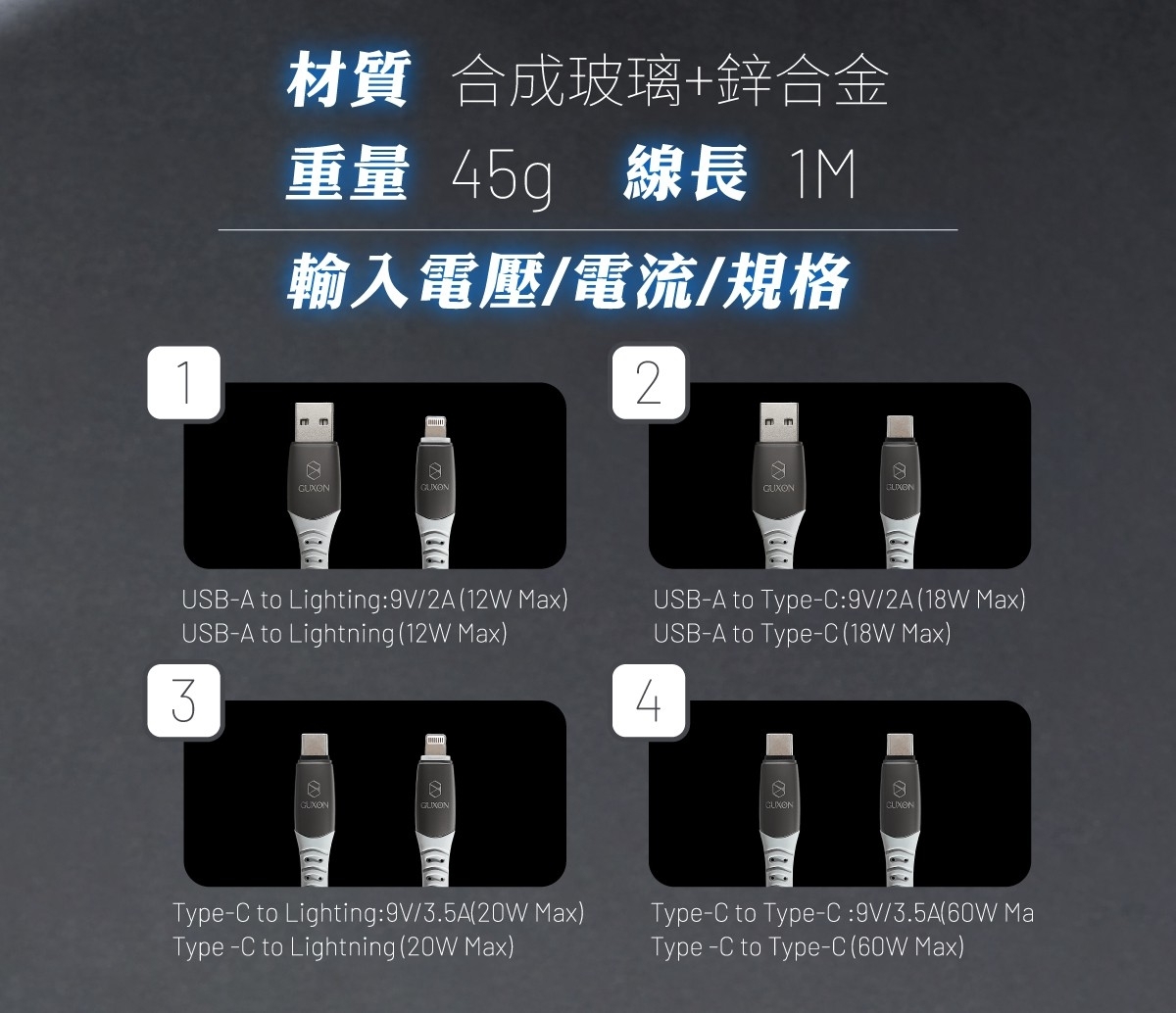
That said, different connector combinations do not always support the same maximum power or data functions. For high-power laptop charging, or if you have one main device, check the connector and power you actually need first. An all-in-one cable is about convenience — it does not mean every combination delivers the same output.