Pick up a charger or a power bank today and the number on the box — 20W, 30W, 45W, 65W — is the first thing you see. Naturally, a bigger number reads as "charges faster".
But real charging speed is not decided by wattage alone.
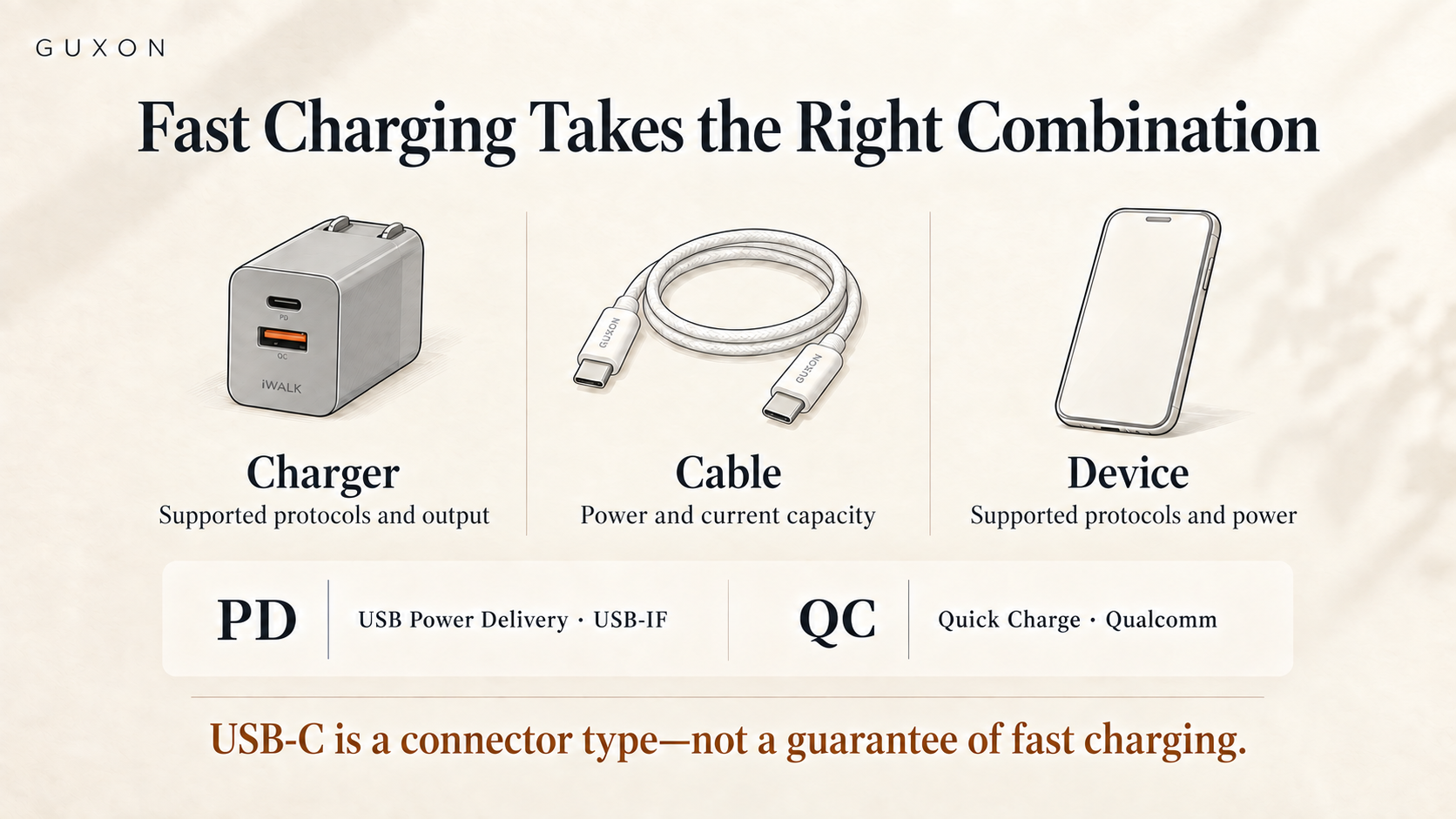
Whether a phone enters fast charging, and how much power it ends up drawing, also depends on what the device itself supports, which fast-charging protocol the charger uses, and whether the cable can keep up. Plug a 65W charger into a phone that only supports a lower charging power, and the phone will still charge within its own limits.
So rather than chasing the biggest wattage, understanding W, PD and QC — and how device and cable fit together — is what leads you to the right charger.
What does the W on a charger actually mean?
W stands for watt, the unit of power.
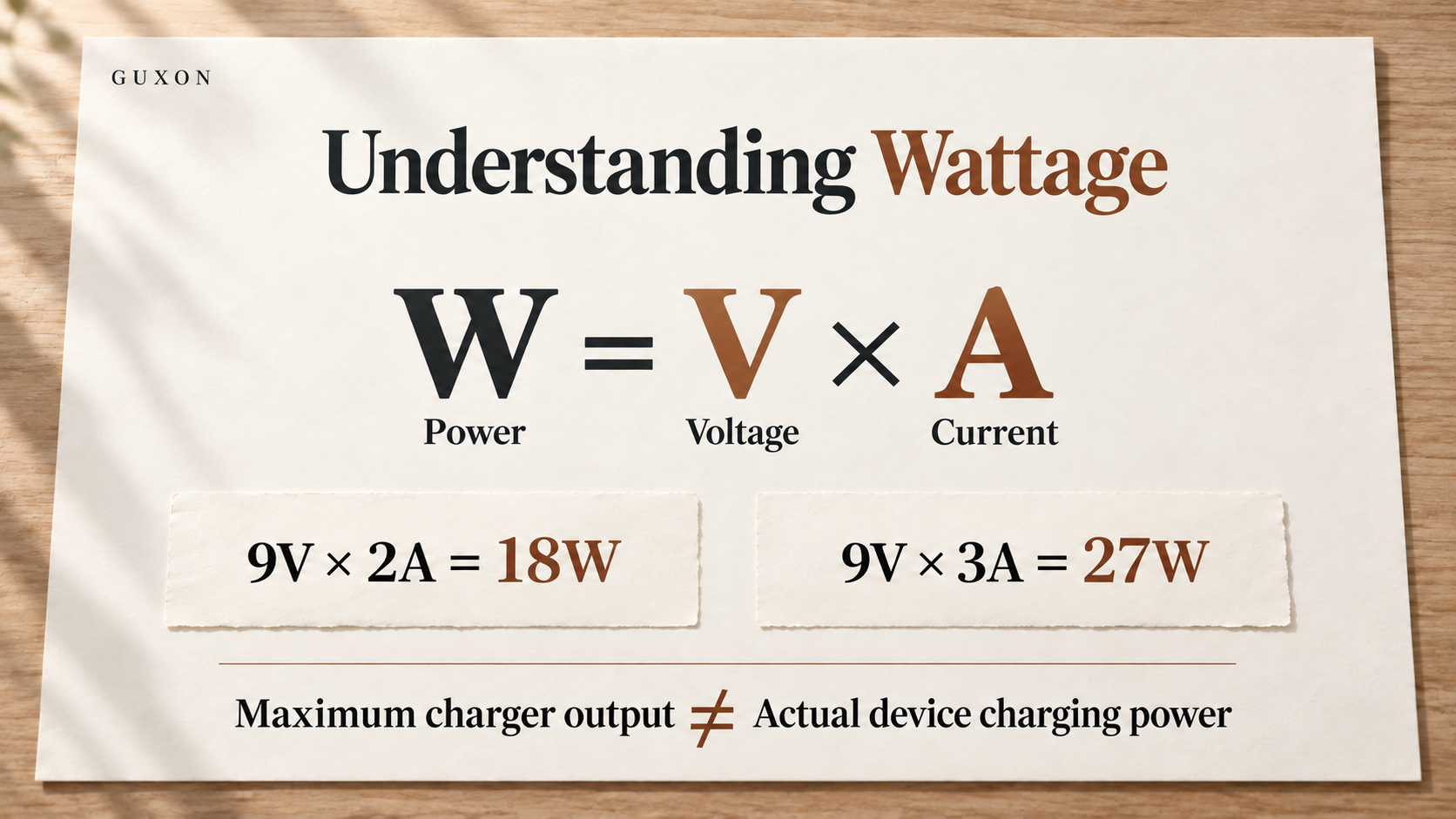
The basic relationship is:
Power (W) = voltage (V) × current (A)
So a charging spec of 9V/2A works out to 9 × 2 = 18W; 9V/3A is 27W.
The 20W, 30W, 45W or 65W on a charger therefore describes the power it can supply under particular output conditions.

The catch is that what a charger can supply and what a device actually accepts are two different things.
Connect a phone to a higher-power charger and the charger does not force all of those watts into it. Compatible fast-charging equipment negotiates against what the device supports, then settles on a suitable voltage and current.
So charging a phone from a 65W charger does not mean the phone charges at 65W, and you cannot infer real-world speed from the charger's maximum rating alone.
What is PD fast charging?
PD stands for USB Power Delivery, the USB power specification defined by the USB-IF.
What matters about it is not simply "more watts". It is that charger and device can negotiate the power requirement between them. Once connected, the two sides agree on a supply arrangement based on what each supports, instead of always pushing one fixed voltage and current.
USB PD is not limited to phones either. Phones, tablets and some laptops can all charge over USB-C with USB PD. The current USB PD specification supports power levels far beyond what a phone needs, which is why a single higher-power USB-C charger can span phones, tablets and laptops.
One common misunderstanding is worth naming: USB-C is a connector shape. Seeing a USB-C port does not guarantee the PD fast charging you need. You still have to check the charger, the device and the cable.
What is QC, and how does it differ from PD?
QC stands for Quick Charge, developed by Qualcomm.
Like PD, its core is not simply pushing more power in. It is negotiation between charging equipment and device, charging quickly within the supported voltage and current range.
Qualcomm's current Quick Charge technology adjusts voltage and current to the device's needs, and newer revisions maintain backward compatibility with earlier Quick Charge versions.
You do not need to memorise every generation of PD and QC. The practical approach is to confirm which protocol your main device supports, then confirm the charger you are considering supports the same one.
If your phone primarily uses USB PD, check PD first. If a device explicitly states Quick Charge support, then check whether the charger also supports QC. Either is more useful than buying on the basis of "65W" alone.
Why can two 65W chargers still charge at different speeds?
Because 65W usually describes the charger's maximum output capability, not a fixed amount every device receives.
Apple's own guidance is an easy example. Apple specifies different fast-charging conditions for different iPhone models — some require a USB-C power adapter above a certain wattage that supports USB-PD in order to reach the fast-charging behaviour Apple describes. A more powerful adapter can supply more, but how much gets used still depends on the iPhone's own design.
This is why "bigger wattage is always faster" is an incomplete way to choose.
If you mostly charge a phone, a charger that covers your phone's fast-charging requirement is enough. If you also need to charge a tablet, a laptop or several devices at once, higher total power starts to earn its place.
Does the cable affect fast charging too?
Yes.
Charger and phone both supporting higher power does not mean any USB-C cable will deliver it.
The current USB-IF specification for USB-C cables distinguishes how much power a cable can carry, with certification marking at the 60W and 240W levels. Under high-power USB PD, whether the cable itself supports the corresponding current and power transfer becomes part of the whole charging system.
For ordinary phone use at 20W, 30W or 45W you do not necessarily need the highest-rated cable, but you should still choose one that meets the USB specification, comes from a clear source and suits the device.
Charging a high-power USB-C laptop is different: there you do need to confirm the cable's power capability, not just that both ends are USB-C.
Put another way: identical connectors do not mean identical capability.
If a multi-port charger says 65W, does every port get 65W?
This is where multi-port chargers cause the most confusion.
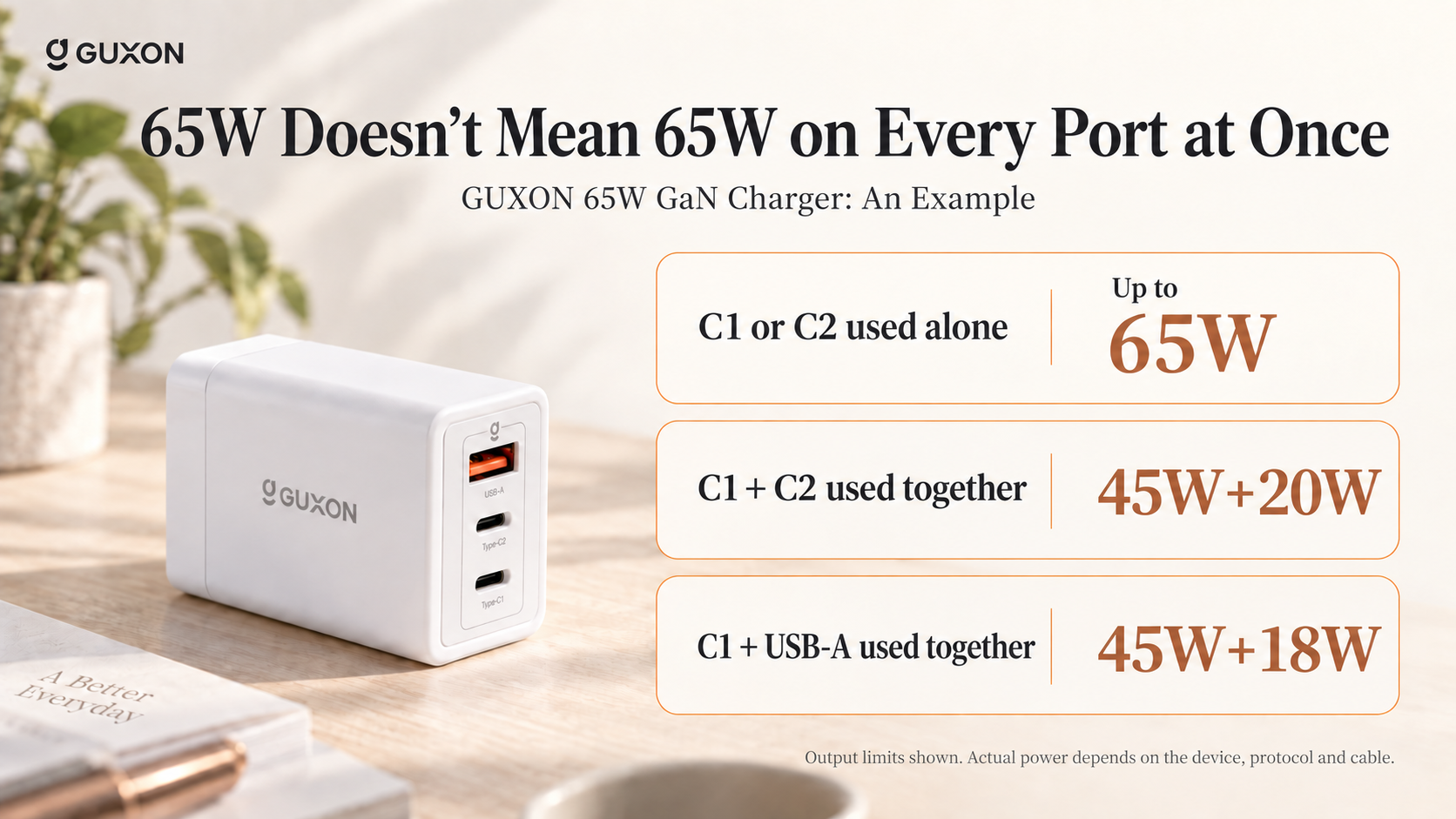
A stated 65W may mean a single Type-C port can output up to 65W, or it may describe the charger's total output under particular conditions. Once two or three devices are connected, the charger normally redistributes power.
Take the GUXON 65W GaN charger. Used on its own, Type-C1 or Type-C2 reaches up to 65W. With C1 and C2 together, the official specification is 45W + 20W. With C1 and USB-A, it is 45W + 18W.
So when buying a multi-port charger, do not read only the headline wattage on the front of the box. Check the maximum single-port output, and how power is divided when several ports are in use.
Charging a phone and earbuds together is a very different requirement from charging a laptop, tablet and phone at once.
So how do you choose between 20W, 30W, 45W and 65W?
No single wattage suits everyone. It comes back to the devices you actually use.
If it is mainly a phone, check the manufacturer's recommended fast-charging specification and pick a USB-C charger that covers it.
If you also have a tablet, or want one charger to handle a phone plus other devices, move up to higher power and a multi-port layout.
If you need to charge a USB-C laptop, confirm the power the laptop requires, the charger's single-port output, and whether the cable can carry it.
The value of something like the GUXON 65W GaN charger is not simply that "65W is bigger than 20W". It is that a single port can supply higher power, and that output is redistributed according to how many devices you have connected. That suits people using one charger for a phone, a tablet and sometimes a USB-C laptop.
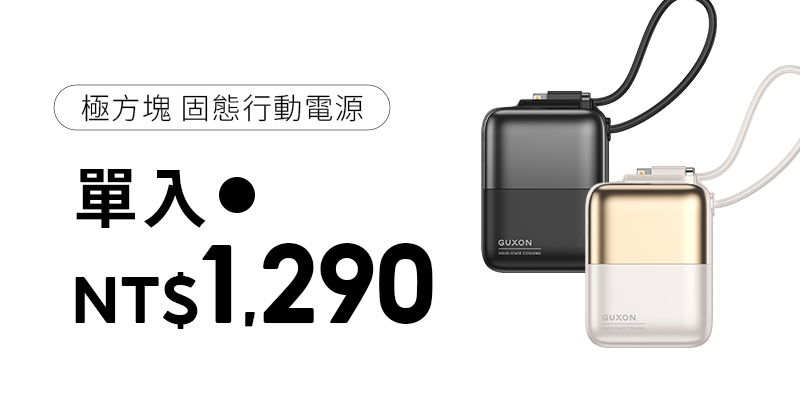
A power bank such as the GUXON Cube is a different proposition: its Type-C output reaches 20W under the PD protocol, and it is designed for topping up a phone day to day. You would not judge it the same way as a 65W desktop charger.
A note on that figure: the Cube is marketed as "up to 22.5W output", which comes from its 10V/2.25A rail. 10V is not a standard USB PD voltage; the PD profiles are 9V/2.22A and 12V/1.67A, both of which work out to 20W. Which is a neat illustration of this article's point — wattage only means something once you read it against the protocol.
Understanding fast charging is not about chasing the biggest number
What matters is not a single wattage figure in isolation.
The charger determines how much power can be supplied. The device determines how much it will accept. Protocols such as PD and QC negotiate between them. And the cable has to be capable of carrying whatever they agree on.
So next time you see 20W, 30W, 45W or 65W, start by working out what your device actually needs. Then look at which protocols the charger supports, how single-port and multi-port output are allocated, and whether your cable can keep up.
The point of a specification is not that bigger is better. It is that different pieces of equipment can find a charging arrangement that works.
Further reading
Why does my phone stop charging halfway?
When charger and phone both support fast charging but the speed suddenly drops, it is often not a specification problem — the phone's battery protection has kicked in.
What is Qi2 wireless charging?
Beyond wired PD and QC, wireless charging has its own protocols and power ceilings, judged rather differently.
Is a bigger power bank always better?
To go further into mAh, Wh and real-world requirements, start with the difference between capacity and charging power.
References
- USB Implementers Forum — USB Charger (USB Power Delivery): what USB PD is and what it can supply
- USB Implementers Forum — USB Power Delivery Specification / Document Library
- USB Implementers Forum — Cables and Connectors: USB-C cable power marking and certification
- Qualcomm — Quick Charge: technology, compatibility and charge control
- Apple Support — Fast charge your iPhone: required adapters, USB-PD and per-model conditions
- GUXON — 65W GaN charger: single-port output, PPS and multi-port allocation in practice
- GUXON — Cube solid-state dual-cable power bank: a Type-C 20W PD example